Define the labels
Data annotation guidelines template
Define labels, examples, edge cases, and version history.
Read the guideTrack annotation operations
Connect daily labeling output to hours, rework, and batch cycle time. See where delivery slows down and what to investigate next.
An annotation throughput tracker gives a team a consistent record of how much work moved through its labeling process. Compare similar tasks and review quality alongside speed so a higher item count does not hide extra correction work.
Start with consistent definitions
Decide what counts as an item, a working hour, and rework before comparing people or vendors. Keep labeling time separate from waiting time.
| Metric | Definition | Use it to ask |
|---|---|---|
| Items per hour | Completed items ÷ logged working hours | Did output change for comparable tasks? |
| Average handling time (AHT) | Logged working minutes ÷ completed items | Is the task taking longer per item? |
| Rework rate | Items needing correction ÷ reviewed items | Is faster delivery creating more corrections? |
| Utilization | Logged working hours ÷ scheduled hours | How much scheduled time was logged as work? |
| Batch cycle time | Time from defined batch start to completion | How long does the batch spend in the whole process? |
Use the same denominator and time definitions in every report. Rework may be measured against reviewed or submitted items; label the choice explicitly and do not mix the two.
Fictional daily-log example
A labeler completes 480 items in 6 logged working hours during an 8-hour scheduled day. That is 80 items per hour, an AHT of 45 seconds, and 75% utilization under the definitions above.
If a reviewer checks 100 of those items and sends 8 back for correction, the observed rework rate in that reviewed set is 8%. That is a sample result; it does not tell you that exactly 8% of all 480 items need rework.
Before comparing this day with another, check task complexity, guideline changes, review coverage, and whether the logged hours include correction work. A raw leaderboard can otherwise reward easier assignments.
For recurring label disagreements, update the annotation guidelines. For a new vendor, put the delivery assumptions into a data annotation RFP. Use the QA sample size calculator to plan quality review separately from throughput reporting.
The downloadable files
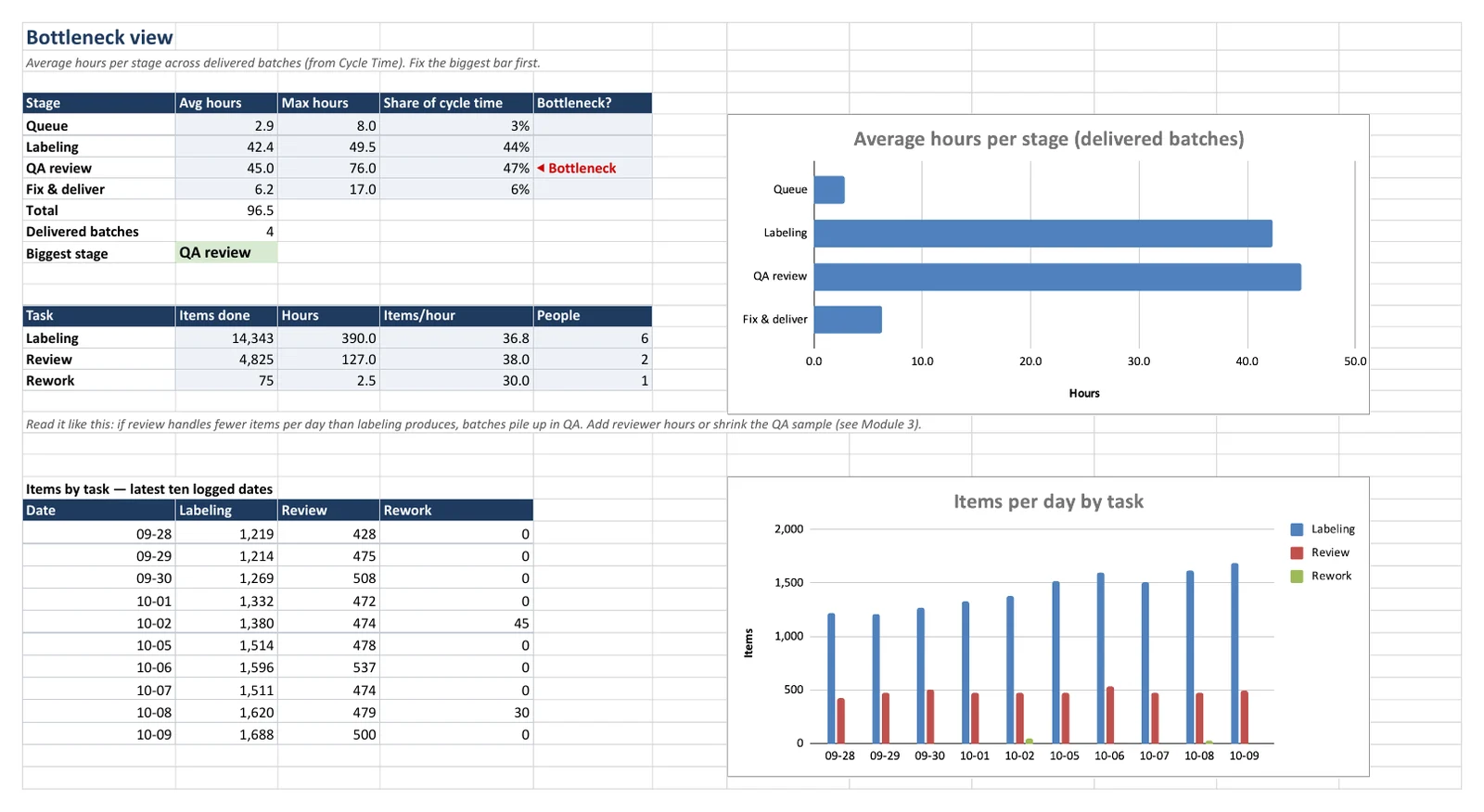
The Throughput Tracker includes a Daily Log, Per-Person Summary, Weekly Report with charts, Cycle Time, and Bottleneck views. It is included in Ops Kit with the QA files and Vendor RFP Kit. Requires Google Sheets: some summary formulas do not update in Excel.
The page above is a free guide and preview. The editable kit files are a paid download through Gumroad.
Use Google Sheets for live results. Some summary formulas are Google-only and will not update in Excel. The other kit files have their own format requirements, listed on the homepage.
The kit is a spreadsheet-based workflow. Your team enters its operational data; the product does not provide a live connection to a labeling platform.
Ops Kit ($199, single user) and Team ($299, up to 10 people at one company). QA Core does not include the Throughput Tracker.
Define the labels
Define labels, examples, edge cases, and version history.
Read the guideCompare labeling vendors
Compare requirements, pilot evidence, and vendor scores.
Read the guidePlanning a QA review? Use the free sample size calculator or download the free sample-size sheet and error taxonomy.