Define the labels
Data annotation guidelines template
Define labels, examples, edge cases, and version history.
View guidelines templateData annotation QA templates and tools for teams that outsource labeling
Check annotation quality, track delivery, and compare labeling vendors with spreadsheets and playbooks for in-house ML and data teams.
Sample size
n₀ = z² × p × (1 − p) ÷ e²
n = n₀ ÷ (1 + (n₀ − 1) ÷ N)
rounded up, at most N
Batch decision · paid QA Tracker
Full sample reviewed, no critical errors, and 95.3% meets the 95% target.
Example data from the kit's worked sample.
Open the free annotation QA sample size calculator for the formula, a worked example, and guidance on choosing a random sample.
Size the sample, log the errors, and get an accept or reject decision you can show the vendor.
QA Core and up
Log output per person and cycle time per batch, so a late delivery points to a slow stage.
Ops Kit and up
Pick or replace a vendor with written requirements, the same questions and the same pilot.
Ops Kit and up
One-time purchase through Gumroad. Sales tax or VAT is added at checkout where it applies.
Check each batch.
Single-user license.
Buy QA CoreCheck, track and compare vendors.
Single-user license.
Buy Ops KitOne vendor process for a team.
Team license. No resale, redistribution or public posting.
Buy TeamDelivered as a zip of .xlsx and .docx files with a README. Terms of sale and license
Real snapshots. Example data is fictional. Click a picture to see it full size.
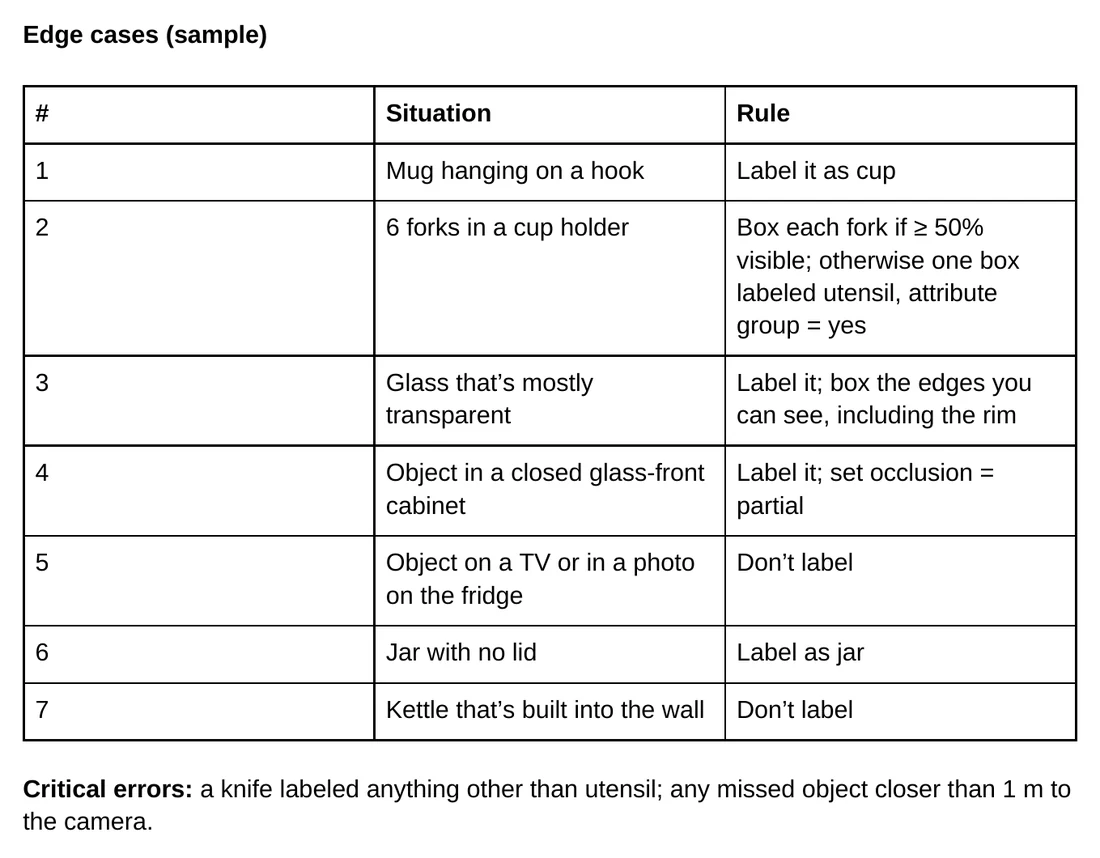
The written bar you check the vendor's work against.
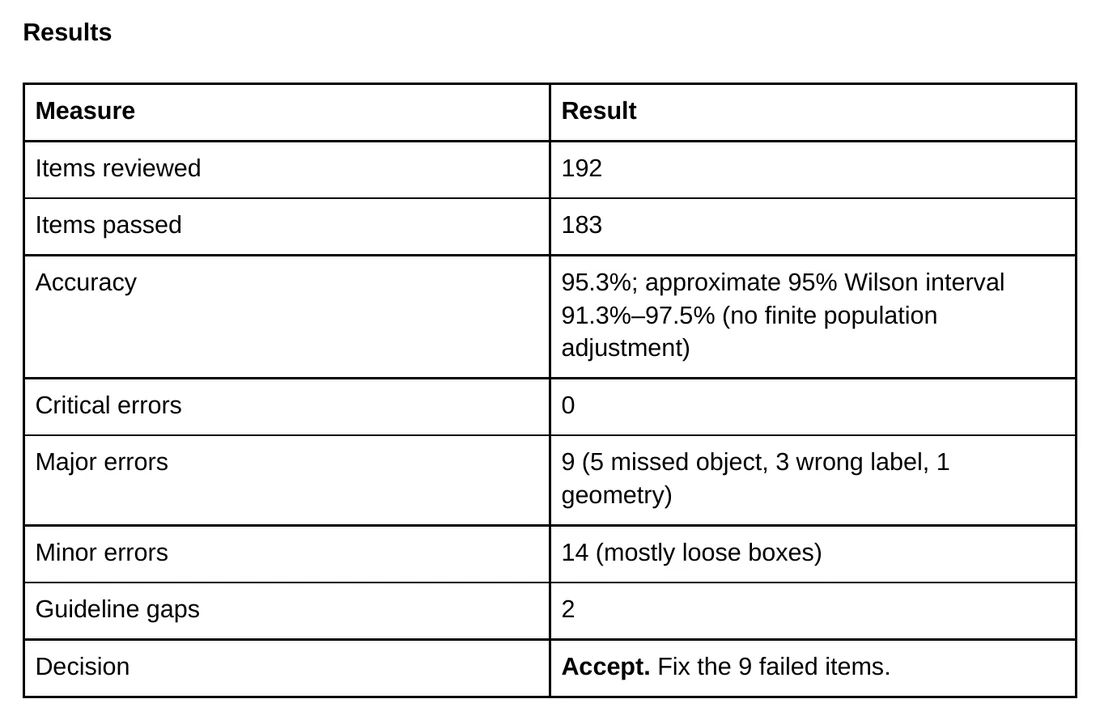
The rules you hold the vendor to, agreed before the first batch.
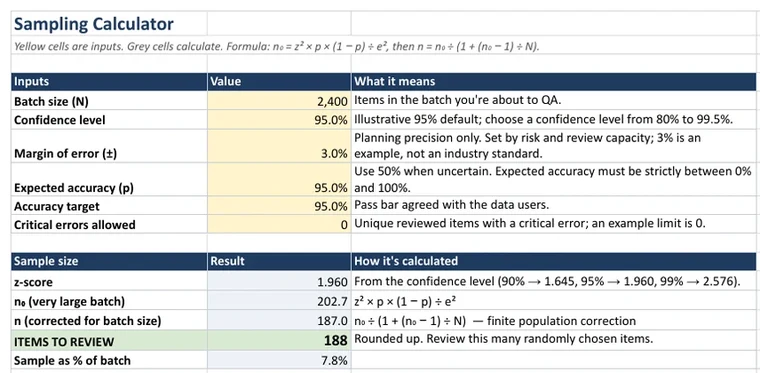
Checks each batch and keeps the records you need to push back.
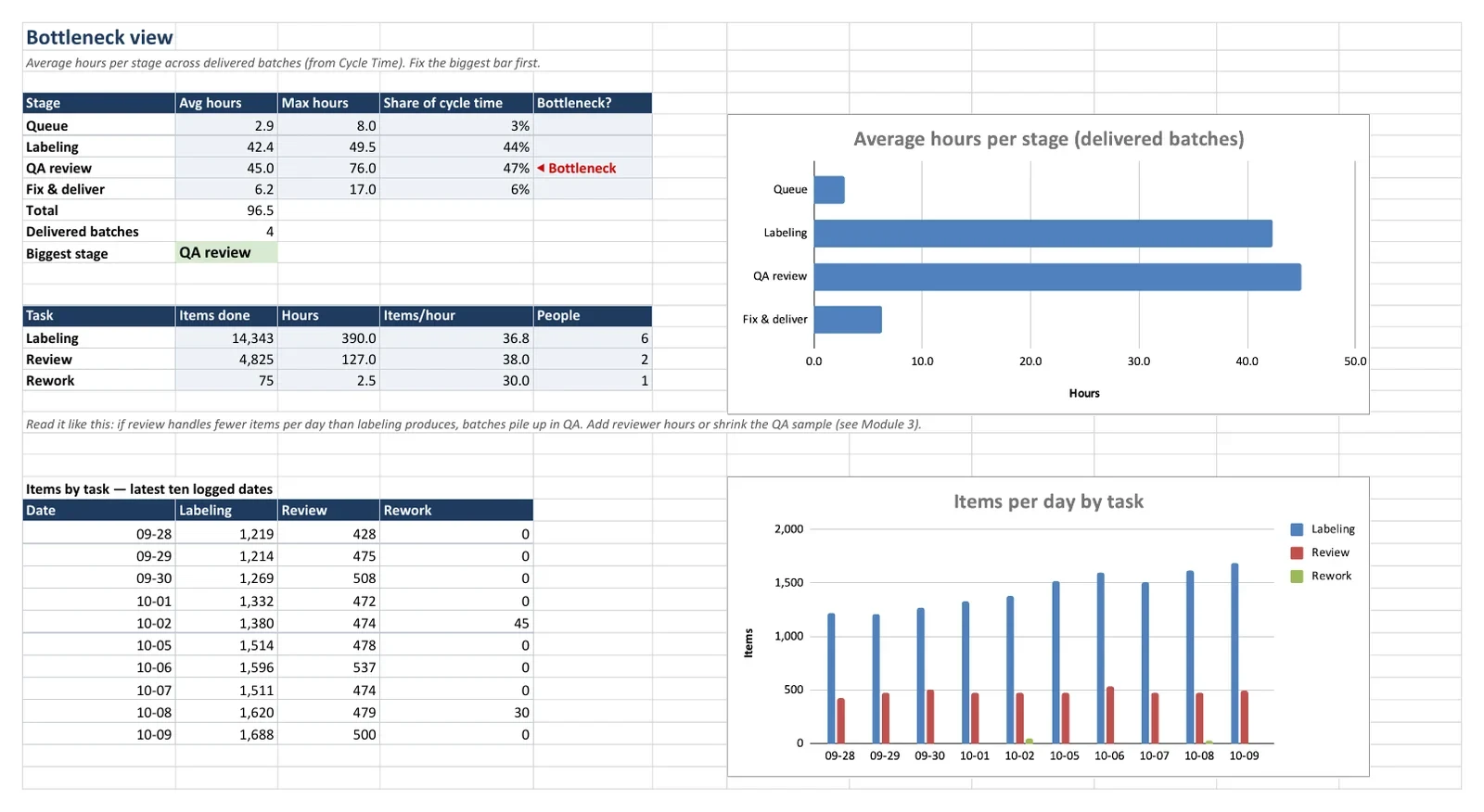
Shows where the time goes, per person and per stage.
Requires Google Sheets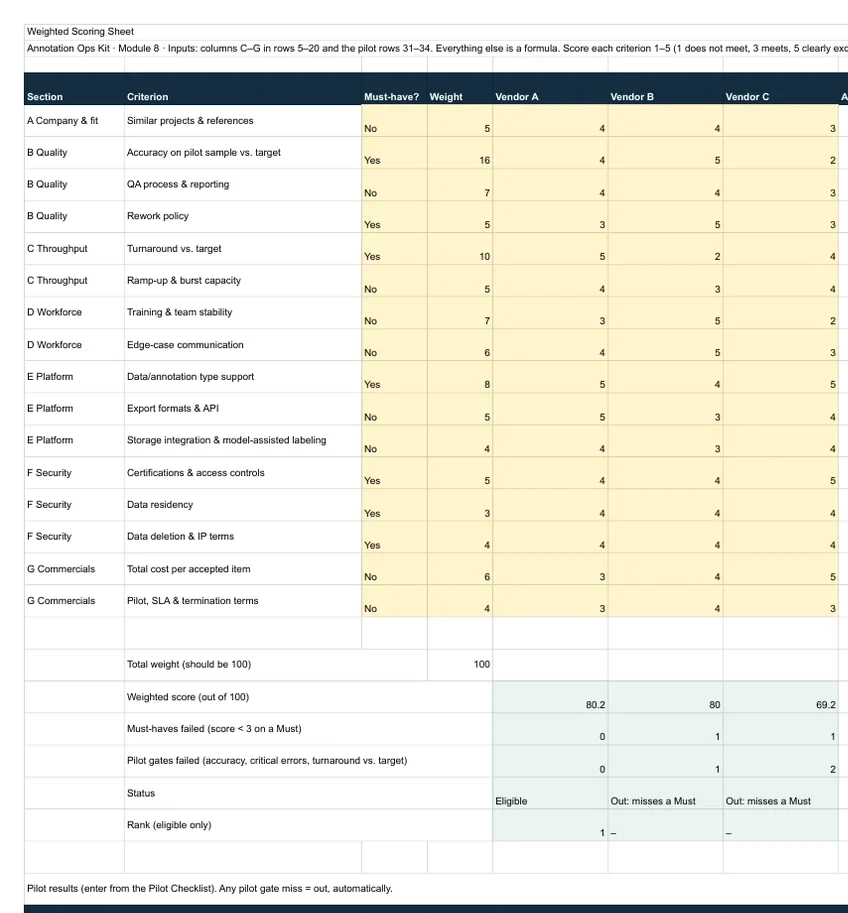
A fair, written way to pick or switch vendors.
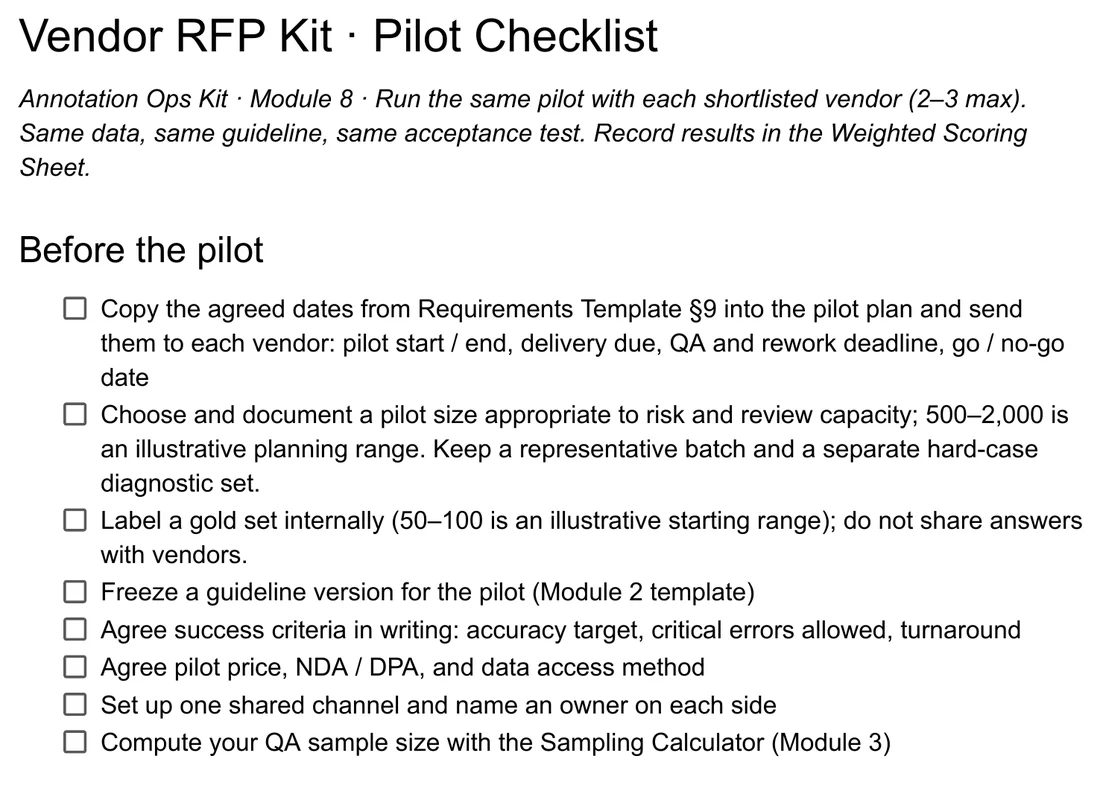
Ends in a one-page decision note you can defend.
Standard, published methods. Every formula is visible in its cell.
Data annotation operations resources
Practical guides and kit previews for writing instructions, comparing vendors, and tracking delivery.
Define the labels
Define labels, examples, edge cases, and version history.
View guidelines templateCompare labeling vendors
Compare requirements, pilot evidence, and vendor scores.
View vendor RFP templateTrack annotation operations
Track labeling output, rework, hours, and batch cycle time.
View throughput trackerChoosing a provider? Read how to evaluate data annotation vendors.
Annotation Ops Kit is an independent publisher.
In-house ML and data teams managing outsourced data annotation. Use the guideline template to define labels, the QA files to review vendor batches, and the Ops Kit to track throughput and compare vendors. The kit contains spreadsheets and documents; it does not provide annotation workers or data collection services.
It depends on the batch size, confidence level, margin of error, and expected accuracy. Use the free annotation QA sample size calculator to plan a simple random sample. Sampling estimates quality; the batch acceptance rules and critical-error limits still need to be agreed with your vendor.
A zip of .xlsx and .docx files plus a README. They open in Google Sheets and Docs or in Excel and Word. The Throughput Tracker needs Google Sheets for live results.
Yes. The free sheet has the same sample size formula plus a shared error taxonomy. No email needed. Download it (.zip, 17 KB)
No. There are no affiliate or referral deals, and we don't sell labeling.
Not useful? Within 14 days of purchase, contact us through your Gumroad receipt for a full refund, no questions asked.
Yes. Gumroad handles sales tax or VAT, and you can generate an invoice with your company details from your receipt.