Vendor-neutral selection guide
How to evaluate data annotation vendors
Give every provider the same brief, test the work against written rules, and compare the evidence before choosing a partner.
Start with the same task and acceptance rules
A useful vendor evaluation starts with a brief that each provider can answer on the same basis. Write down the data types, labeling task, expected volume, languages, output format, delivery schedule, and who will review the results.
Attach a versioned annotation guideline with label definitions, examples, and an escalation rule for uncertain cases. Define what counts as an error, how severity is assigned, and which conditions would block acceptance.
Separate requirements into Must, Should, and Nice to have. Make each Must testable: identify the evidence you need and the person responsible for checking it. Resolve assumptions before requesting a firm quote.
Test the proposed workflow
Run a comparable annotation pilot
- Choose representative data. Include ordinary work and difficult cases. Record how the pilot set was selected, and share only data you are authorized to disclose.
- Keep the starting conditions consistent. Give each provider the same input set, guideline version, output schema, deadline, and opportunity to ask questions. Log clarifications and share relevant rule changes with everyone.
- Define the review before seeing results. Decide what will be checked, how much will be reviewed, and how errors will affect acceptance. The free annotation QA sample size calculator can help plan a simple random review sample; it does not set acceptance thresholds.
- Review and document the evidence. Where practical, hide the provider’s identity from the reviewer. Record error type, severity, missing outputs, unresolved questions, and delivery time against the agreed rules.
- Check the correction process. Send a consistent feedback format and record how corrections are handled. Agree whether retesting is needed and how a changed guideline affects the comparison.
A pilot is evidence about the task, people, and conditions tested. Record any differences between the pilot setup and the proposed production setup.
A practical evaluation checklist
Compare the evidence in six areas
Use the same questions for every provider. Ask for a document, sample output, or demonstrated workflow that supports each answer.
| Area | Ask the vendor | Evidence to review |
|---|---|---|
| Annotation quality | How will you apply our labeling rules and handle ambiguous cases? | Pilot output, reviewed errors, escalation examples, and training process |
| QA and rework | Who reviews the work, who owns quality, and how are corrections tracked? | Review workflow, error log, correction process, and named QA owner |
| Delivery capacity | What staffing and task-time assumptions support the delivery plan? | Pilot timing, staffing plan, milestones, and escalation route |
| Data handling | Who can access the data, where will work happen, and are subcontractors involved? | Written access, storage, retention, deletion, and subcontractor arrangements |
| Output and handoff | Can you deliver the exact schema and identifiers we need? | Sample export checked against the required format and completeness rules |
| Commercial terms | What is included in the quote, and what would trigger extra charges? | Itemized quote, minimums, assumptions, review charges, and rework terms |
For quality measures, define the unit and denominator. Item-level accuracy, label agreement, and bounding-box overlap answer different questions. Choose measures that fit your task and keep review coverage visible.
For data handling, have the appropriate owner check your project’s requirements. A checklist response is a starting point for review, not proof that every requirement has been met.
Make annotation pricing comparable
Ask what the pricing unit covers: an image, object, text span, audio minute, completed item, or working hour. Specify how partially completed work, rejected output, and corrections are billed.
Compare cost per accepted item only after aligning the acceptance rules and cost inclusions. Keep setup, annotation, review, and rework charges visible. Note whether your own team’s review time is included in the comparison.
Ask what changes the price: more labels per item, longer inputs, specialist requirements, extra review, a revised guideline, or a tighter deadline. Put the assumptions beside the quoted numbers.
Write a decision you can revisit
Check mandatory requirements first. Then score the remaining criteria using weights and rating definitions agreed before reviewing proposals. Attach the supporting evidence and mark unanswered questions explicitly.
Your decision note should record the task and guideline version, pilot conditions, quality findings, delivery assumptions, comparable costs, remaining risks, and the reason for the choice.
After selection, compare actual delivery with those assumptions. Use annotation throughput tracking alongside quality review to investigate delays, rework, and changes in handling time.
Questions worth resolving before you commit
- A quality claim without a definition, sample size, or review method
- A delivery promise without staffing or task-time assumptions
- An unclear subcontracting or data-access arrangement
- A price that does not explain review, rejection, or rework charges
- A production plan that differs materially from the pilot setup
Put the evaluation into documents
The Vendor RFP Kit
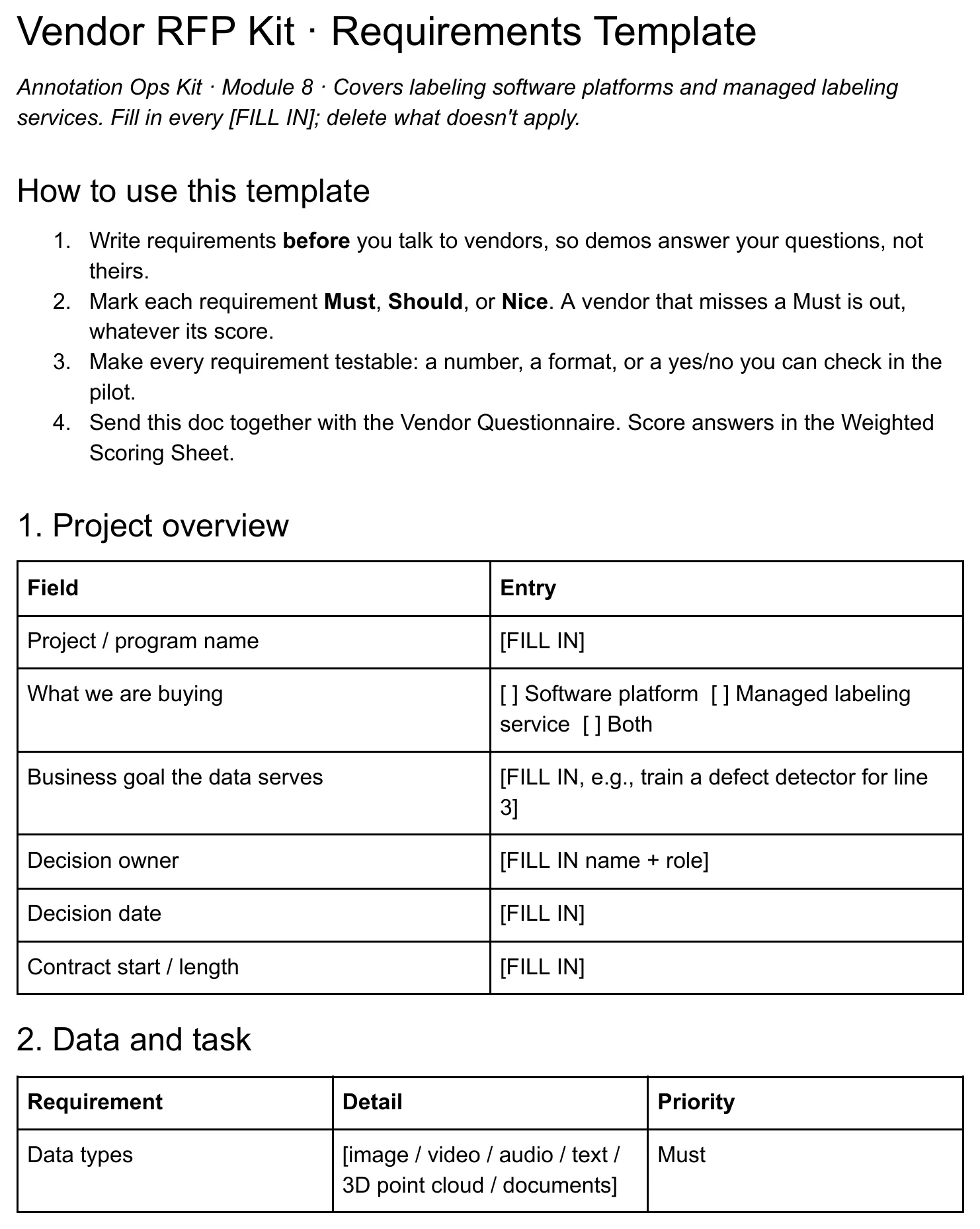
Use the data annotation RFP template and scorecard to record your requirements and compare responses consistently.
- Requirements Template with Must / Should / Nice priorities
- Vendor Questionnaire with 30 questions
- Weighted Scoring Sheet with knockouts and price per accepted item
- Pilot Checklist with a consistent test process
Three Word documents and one spreadsheet, included in Ops Kit and Team.
This guide is free to read. The editable kit files are a paid download through Gumroad.
Related tools
Define labels with the annotation guidelines template, plan review with the free QA sample size calculator, and track delivery with the Throughput Tracker for Google Sheets.
You can also download the free sample-size sheet and error taxonomy. No email needed.